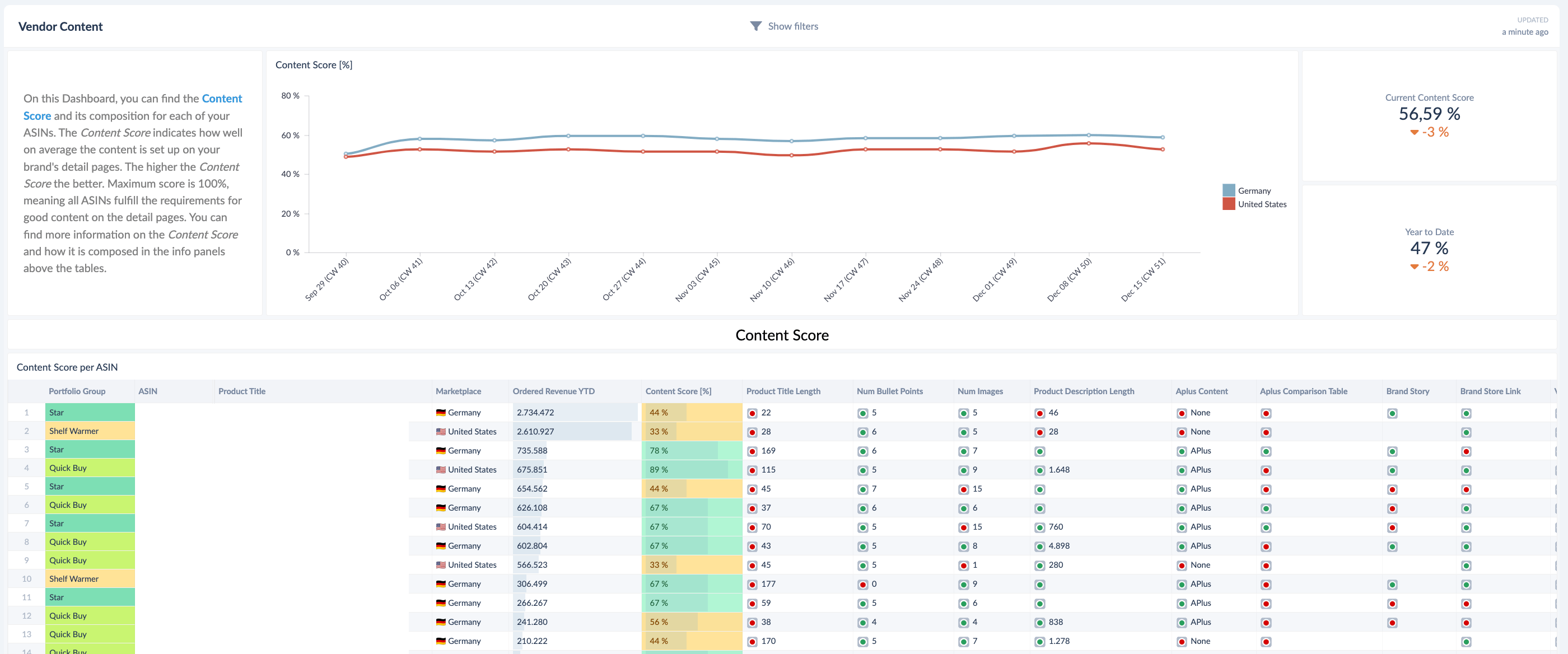
Find out how good the quality of your product detail page content is, and which content pieces still have room for improvement.
Before Getting Started
This use case uses the Content Score and the Content dashboard in the Vendor Performance Summary Hub. The Content Score and Content Monitor are configured under Monitoring; see your Content Monitoring documentation for how the score is set up.
Step 1 — Check your current Content Score
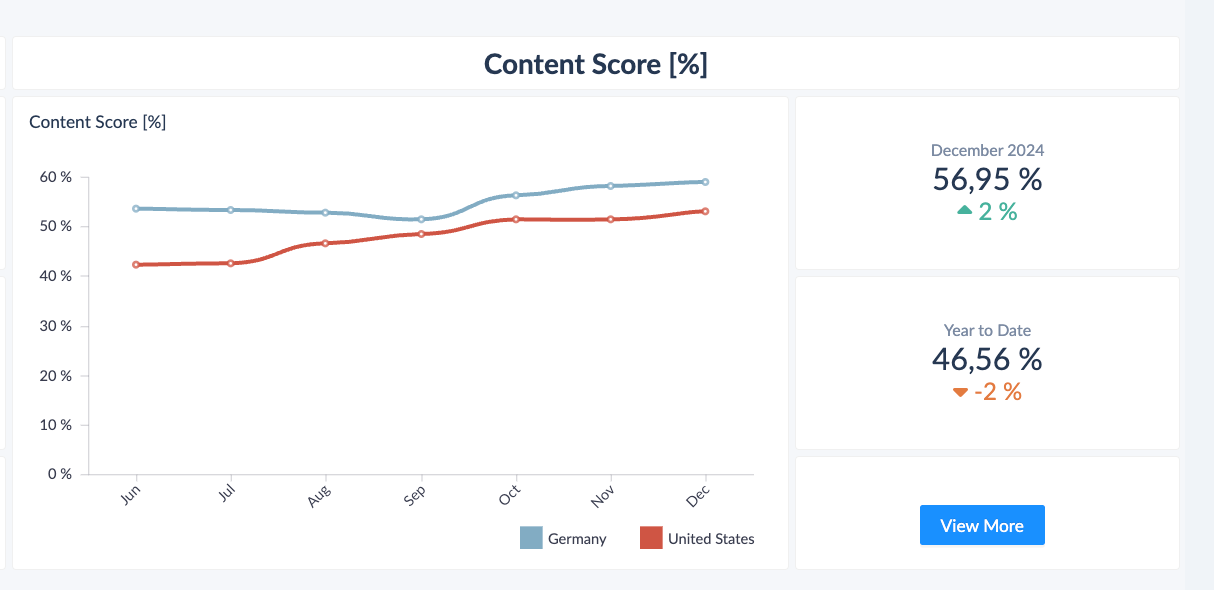
Go to the Vendor Performance Summary Hub and check your current Content Score for an at-a-glance read on overall content quality.
Step 2 — Analyze content at ASIN level
Use the Content dashboard to analyze content at the ASIN level. It highlights all the key elements of the product detail page — titles, images, bullet points, and brand store links — and identifies areas that need improvement, such as longer titles, additional images, or missing links. Addressing these gaps improves the overall quality and effectiveness of your product pages.