

The Amazon AI Assistant, referred to throughout the platform as Emma, is a conversational AI built directly into the emax digital platform. This article explains what Emma is, what it can do, and how it is structured — giving you a solid foundation before exploring individual features in more detail.
What is Emma?
Emma is designed to help users working with Amazon data: analyzing performance tables, generating insights, surfacing recommendations, and answering business-related questions — all without leaving the platform.
What Emma can do
Emma helps you work with your Amazon data through natural conversation. Ask questions, get answers — no need to build reports manually.
Analyse your performance data
Ask Emma about revenue, units, traffic, conversion rates, advertising metrics, and more — across any connected marketplace. Emma queries your actual data and returns structured answers with tables, charts, and comparisons.
Examples:
-
"Show me my top 10 ASINs by revenue for DE last month"
-
"Compare my UK Vendor revenue June vs. May, with year-over-year"
-
"What's my ACOS trend for the last 6 months?"
Explain concepts and best practices
Emma can explain Amazon and emax digital terminology, suggest optimisation approaches, and help you understand what the numbers mean.
Examples:
-
"What is ACOS and what's a good benchmark?"
-
"How does Buy Box work?"
-
"What should I check when my conversion rate drops?"
Read what's on your screen
Emma has context awareness of the Product Performance board. It can read the ASIN table, charts, and filters exactly as you've configured them — no copying or pasting needed.
Example:
-
"Use the displayed product performance table and give me a recommendation on what to focus on next."
Format and export results
Responses come formatted with tables, headers, and visual indicators. You can download any response as PDF, copy it as Markdown, or export tables to Excel.
Adapt to your context
Emma can be personalized through profile settings, company context, and reusable prompt shortcuts called Skills. See the dedicated articles in this section for details.
What Emma does not do
Emma is a read-only analysis tool. Understanding its boundaries helps you get the most out of it — and know when to use other tools instead.
Emma does not make changes
Emma analyses data but never modifies anything. It cannot create or edit campaigns, change product listings, adjust pricing, update inventory, or take any action in your Amazon accounts. This is by design — Emma is built to inform your decisions, not execute them.
Emma does not predict the future
Emma works with historical data. It can show trends, flag anomalies, and highlight patterns — but it cannot forecast exact future sales or guarantee outcomes from following its suggestions.
Emma does not access other companies' data
Each account's data is strictly isolated. Emma can only see data from marketplaces and accounts that are connected in your emax digital setup.
Emma does not replace professional advice
Emma is a data analysis tool, not a financial or legal advisor. Use its outputs to support your decision-making, but always apply your own business judgment — especially for high-stakes decisions.
Always verify important numbers
Like any AI assistant, Emma can occasionally produce inaccurate results. The disclaimer at the bottom of every chat serves as a reminder: always cross-check critical data points before using them in business decisions or external reports.
Panel structure
The assistant panel is divided into two main areas:
|
Area |
Description |
|---|---|
|
Left sidebar |
Conversation history, including a search bar and a list of all past chats |
|
Main chat area |
The active conversation thread, AI responses, and the message input field |
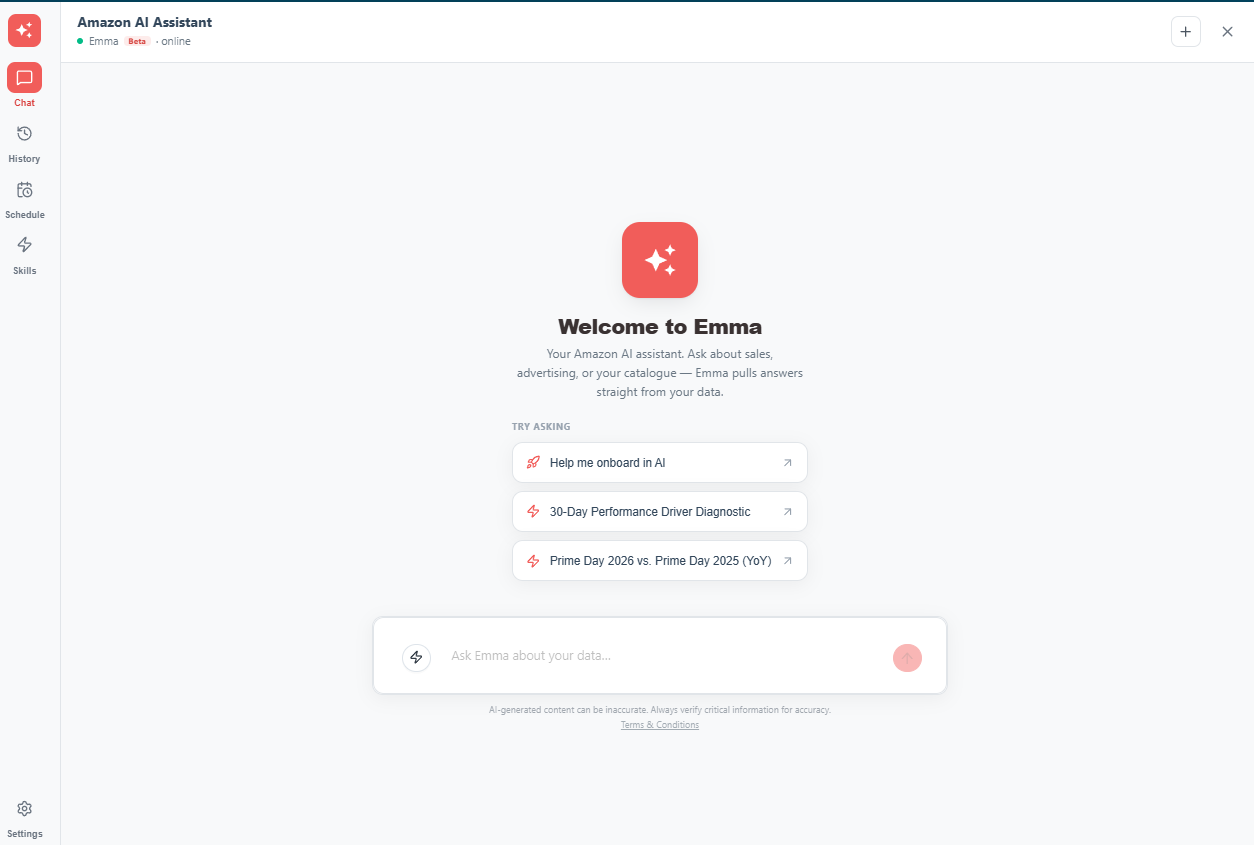
Header toolbar
The top of the panel contains all primary controls:
|
Icon |
Label |
Function |
|---|---|---|
|
☰ |
Conversation History |
Toggles the left sidebar on/off |
|
⊕ |
New Chat |
Starts a fresh, empty conversation |
|
↗ |
Share Conversation |
Opens the share dialog to invite colleagues (read-only access) |
|
🗑️ |
Delete Conversation |
Permanently deletes the current conversation |
|
⚙️ |
Settings |
Opens the Settings panel for profile, company context, and Skills |
|
✕ |
Close Assistant |
Closes the assistant panel |
Disclaimer
💡 Tips for better results
Emma keeps the last 5 responses in its working memory during a conversation. If you want to re-request a report, KPI, or analysis, we recommend starting a new chat — this gives Emma a clean context and produces more accurate results.
AI-generated content can be inaccurate. Always verify critical information for accuracy.
This disclaimer is permanently displayed at the bottom of every chat interface. Always verify data, insights, and recommendations provided by Emma before using them to inform business decisions.
💡 Do you think the content on this page needs improvement? Let us know at support@emax-digital.com