
Overview
This guide explains how to connect the emax digital MCP server to Claude as a custom connector. There are two parts:
The emax digital MCP server gives natural-language access to your Amazon analytics from emax digital — advertising performance (SP/SB/SD/DSP), catalog metadata, performance trends, and Amazon best-practice guidance. It is multi-tenant and OAuth-secured, so each user only sees the accounts they are authorized for.
-
Organization setup (admin): add the emax digital MCP connector once at the organization level so it becomes available to everyone.
-
Individual setup (each user): connect the emax digital MCP to your own account and authorize it.
Prerequisites
-
For organization setup: admin access to your Claude organization settings.
-
For individual setup: a valid emax digital account — each user signs in with their own credentials.
Phase 1 — Organization setup (admin)
Step 1 · Open Organization settings
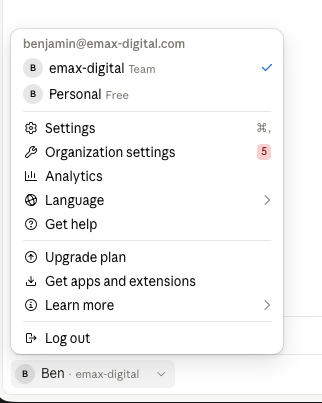
Click on your name, then Organization settings.
Step 2 · Add a custom connector
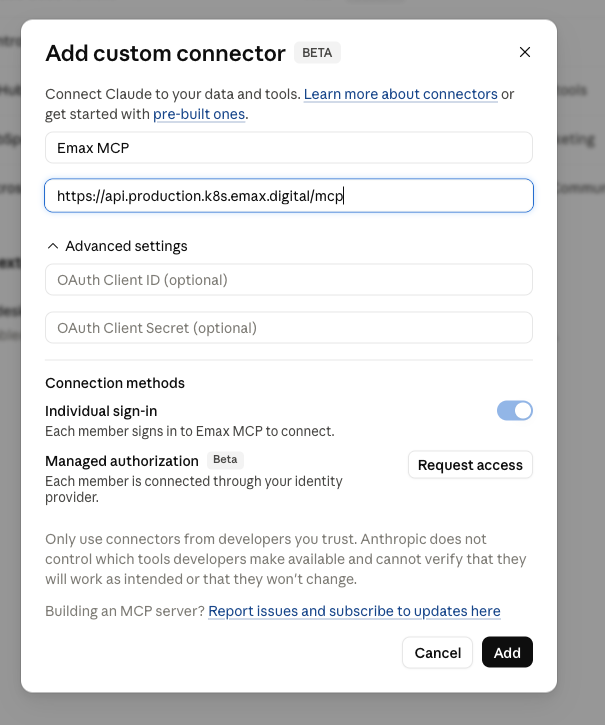
Go to Connectors → Add → Custom → Web.
Step 3 · Enter the connector details
Fill in the connector configuration using the values below, then press Add.
|
Field |
Value |
|---|---|
|
Name |
emax digital MCP |
|
URL |
Keep Individual sign-in enabled. This ensures everyone in your organization who wants to use the connector signs in with their own emax digital credentials, so results are scoped to the accounts each user is authorized for.
Once added, the emax digital MCP connector is available to everyone in your organization. Each user still needs to connect it to their own account (Phase 2).
Phase 2 — Individual setup (each user)
Step 4 · Open your settings
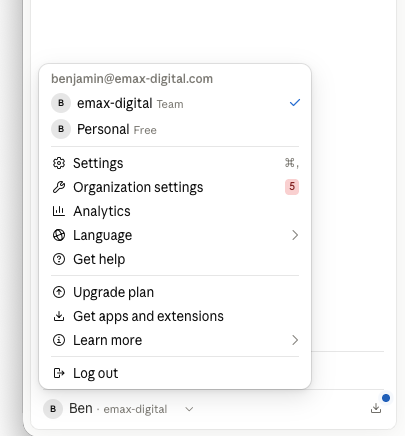
As an individual user, go to your Settings.
Step 5 · Go to Connectors → Customize
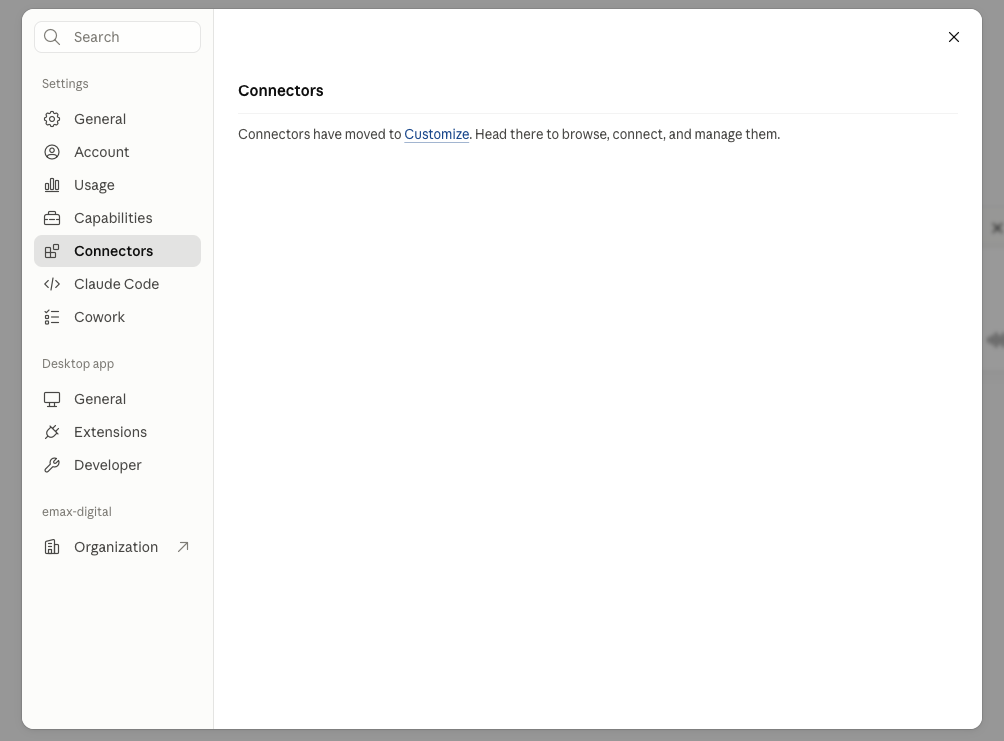
Open Connectors, then Customize.
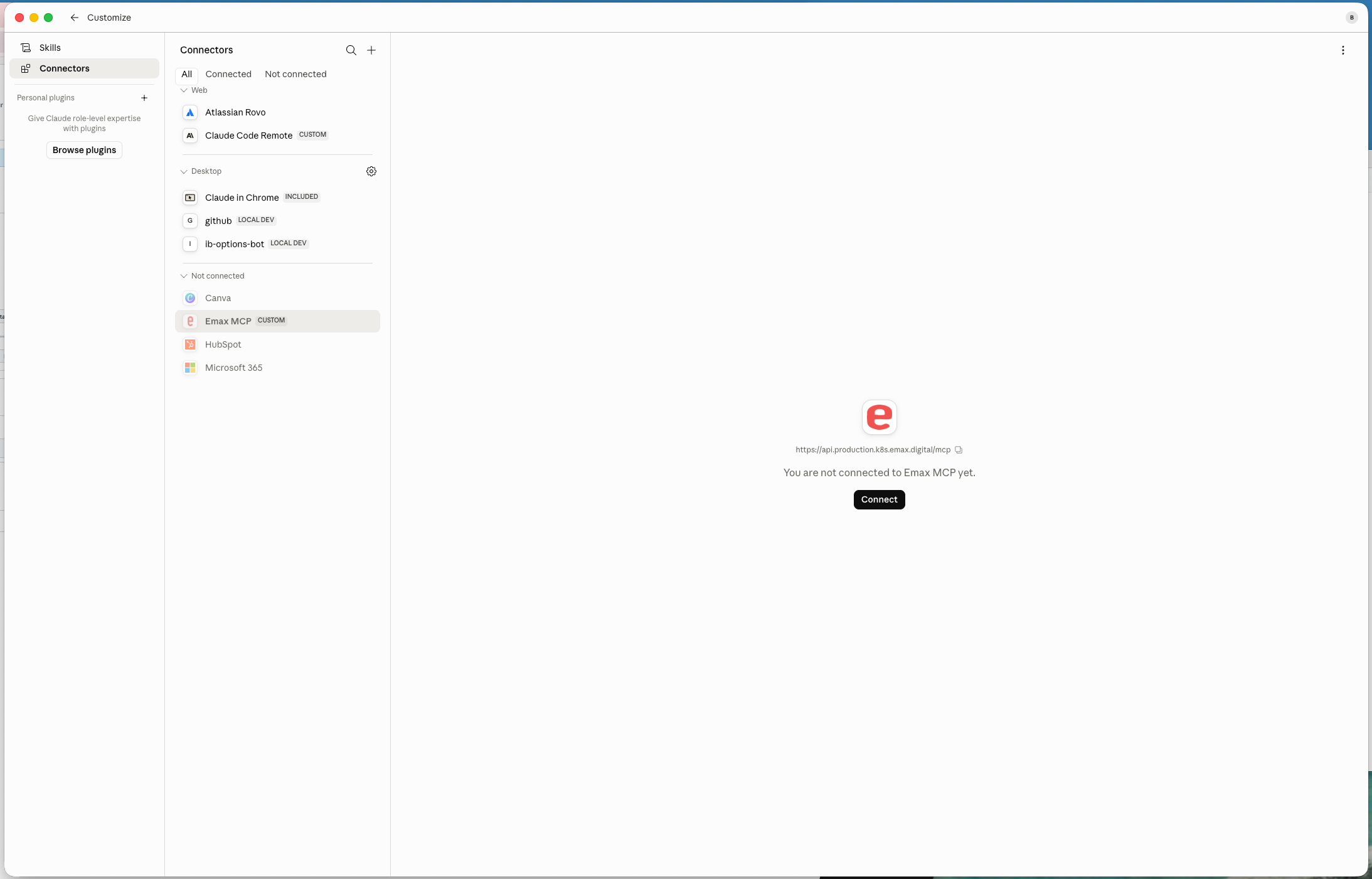
Step 6 · Connect the emax digital MCP
Add the emax digital MCP to your own account by clicking Connect.
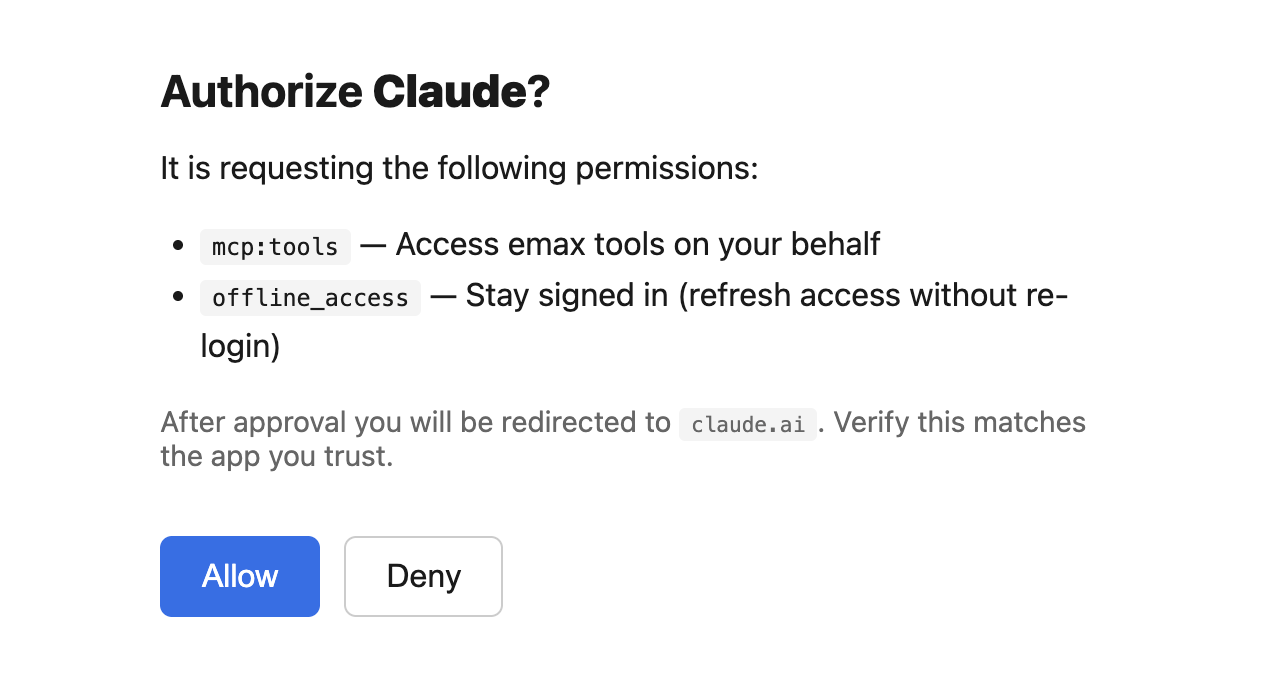
Step 7 · Allow access
Click Allow to authorize the connection.
Setup complete. You can now use the emax digital MCP in Claude to ask Amazon analytics questions in natural language, scoped to your authorized accounts.