
This page describes how advertising data is connected, when it becomes available, how far back it reaches on first connection, and how to restore it after a disconnect.
When does advertising data become available?
Once your advertising profiles are connected to your Analytics Hub via the Amazon Advertising API, your advertising data will be available in the Analytics Hub within 72 hours.
Connecting multiple profiles
You can always connect as many advertising profiles simultaneously as are within your booked limits. To check how many Amazon advertising profiles you can connect, go to Admin → Plans & Pricing.
Lookback windows — how far back data reaches on first connection
When you first connect your advertising accounts, be aware of the specific lookback windows for each campaign type. These windows determine how many days of historical data can be retrieved initially and shown in the tool.
Important: Amazon lookback windows only determine the amount of days that can be accessed initially. They do not influence how long emax digital stores data for you in general — once connected, your data continues to accumulate.
|
Advertising type |
Initial lookback window |
|---|---|
|
Sponsored Products |
95 days |
|
Sponsored Brands |
60 days |
|
Sponsored Display |
65 days |
|
Sponsored Television |
95 days |
|
Amazon DSP |
95 days (see Amazon DSP — Data Scope) |
Checking your connection date
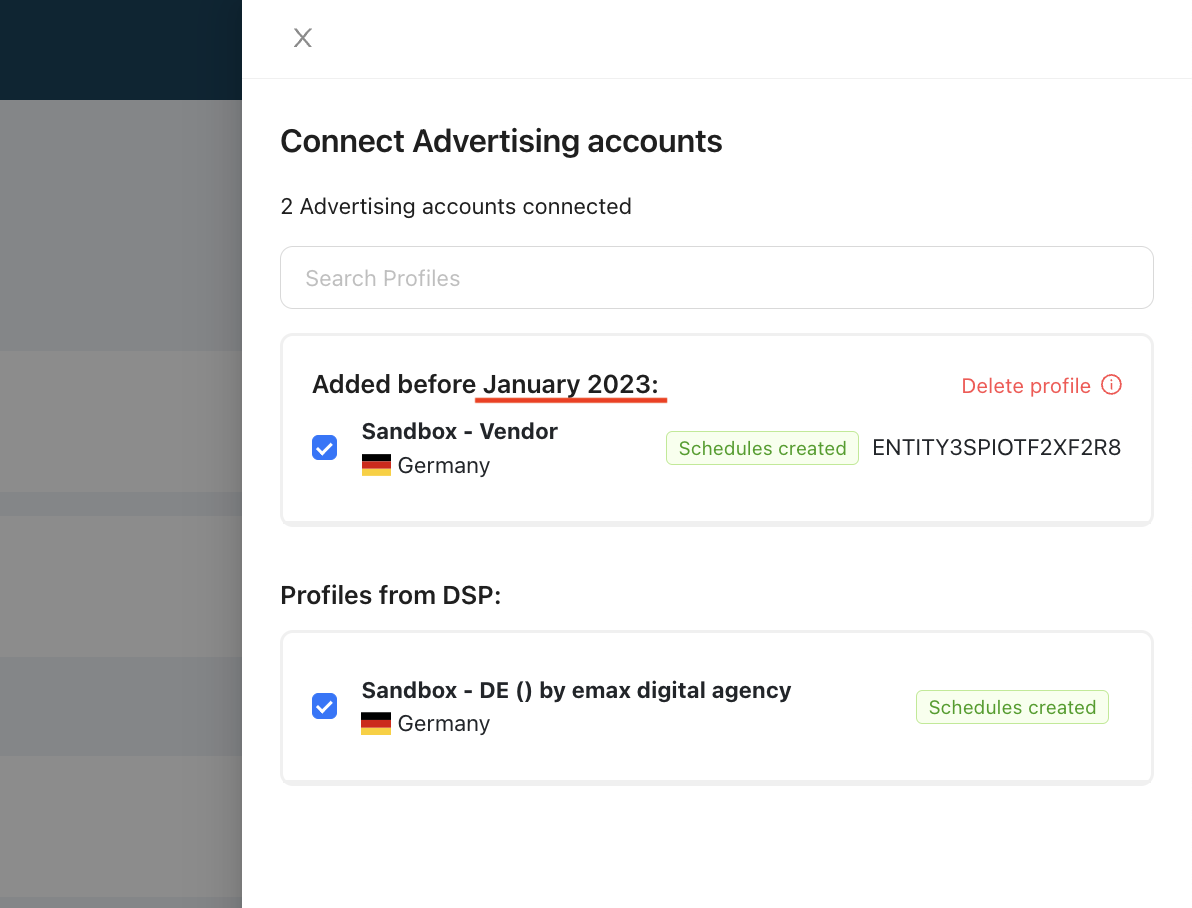
To work out your initial data retention window, find when an account was connected: go to Setup → Data Connections, click Manage, and search for the Ads Console specific to your marketplace and country.

Sponsored Brands reporting — a known Amazon API limitation
This is an Amazon-side reporting setup constraint, not an emax digital data issue.
Amazon's Sponsored Brands reporting has gone through several API versions, and the available creative types and metrics differ between them. While Sponsored Brands data is served via Reporting V2 Sponsored Brands V4, the units sold KPI for Sponsored Brands is not available — Amazon does not report this metric in that version. emax digital will switch to Reporting V3 Sponsored Brands once it is out of preview, at which point the full metric set is expected to return.
Restoring data for a disconnected advertising profile
If you disconnect an advertising profile, the data for that profile will no longer be available in your Analytics Hub. However, your data can be restored within 60 days of disconnecting. To get your data restored, reach out to success@emax-digital.com.
For how to (re)authorize an advertising connection, see How to Connect Sponsored Ads (SPA) (Getting Started) and How to Reauthorize a Data Connection (Help and Support).
💡 Do you think the content on this page needs improvement? Let us know at support@emax-digital.com