
App path → app.emax-digital.com/international-business-analysis-vendor-main-page
Overview
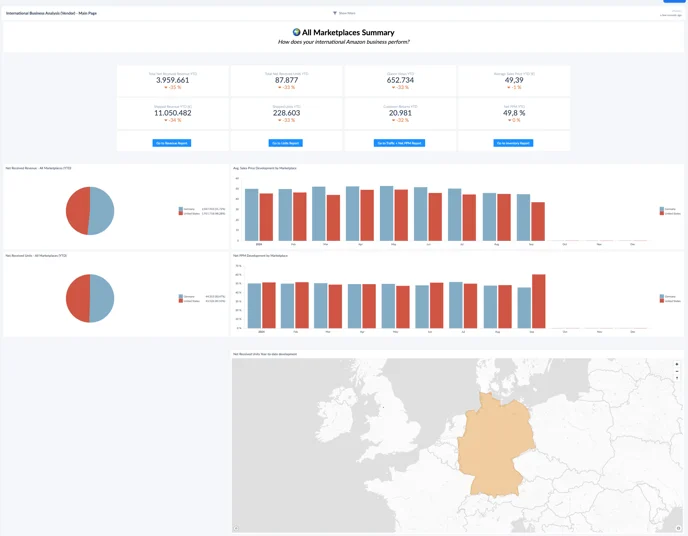
The International Business Analysis (IBA) gives Vendor Central brands with multiple marketplaces a single, accumulated view of performance across all the markets they operate in. It combines graphical overviews, an interactive world map, and drill-down options to analyze revenue, units, traffic, returns, Net PPM, and inventory — so you can compare markets, spot where to focus, and optimize your international strategy.
🔑 Conditional feature. The International Business Analysis is available to Vendors with multiple marketplaces. If you do not see it in your Hub, reach out to your account manager or support@emax-digital.com.
Where to Find It
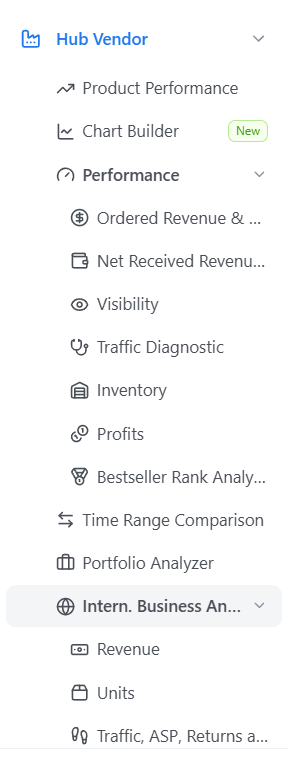
You can find the International Business Analysis in the Hub under Vendor. The dashboard opens on a general overview with the most important KPIs and a world map of your active marketplaces.
General Overview
At the top level, the dashboard presents the most important KPIs across all marketplaces combined, including Net Received Units, Revenue, and a world map of the markets where your business is active. Hover over the map to see detailed data per marketplace. This gives you an intuitive, at-a-glance way to assess which markets are performing well and which may need more focus.
Sections in this Dashboard
The IBA is split into four detailed sub-dashboards, each documented on its own page:
-
Revenue Overview (IBA Vendor) — the full commercial funnel across marketplaces: Net Received Revenue (sell-in), sell-out revenue, Shipped COGS, Net PPM, YTD scorecards, a marketplace P&L summary, and rolling trends versus prior year.
-
Units Overview (IBA Vendor) — Net Received Units, shipped units, and month-on-month development by marketplace.
-
Traffic, ASP, Returns and NetPPM (IBA Vendor) — glance views by marketplace, returns, average selling price, and Net PPM development across all markets.
-
Inventory (IBA Vendor) — sellable on-hand inventory, net received units trend, and inventory development by marketplace.
Use the General Overview to identify the marketplace or metric that stands out, then open the relevant sub-dashboard to investigate revenue, units, traffic, or inventory in depth.