Customer Knowledge Base

How do I initially set up tracking for products and where do I see the results?

Steps how to initially set up tracking for products

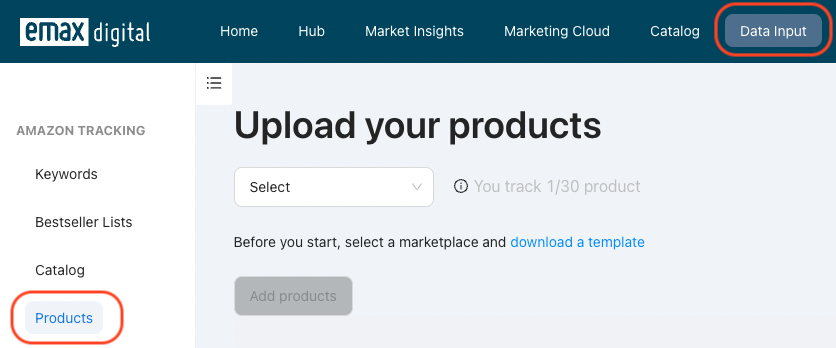
  1. Navigate to data Input in the first navigation bar and click products on the left.
⚠️ External image — needs to be re-uploaded to Confluence

https://knowledge.emax-digital.com/hubfs/Screenshot%202022-06-30%20at%2008-38-48-png-1.png

Source: https://knowledge.emax-digital.com/hubfs/Screenshot%202022-06-30%20at%2008-38-48-png-1.png

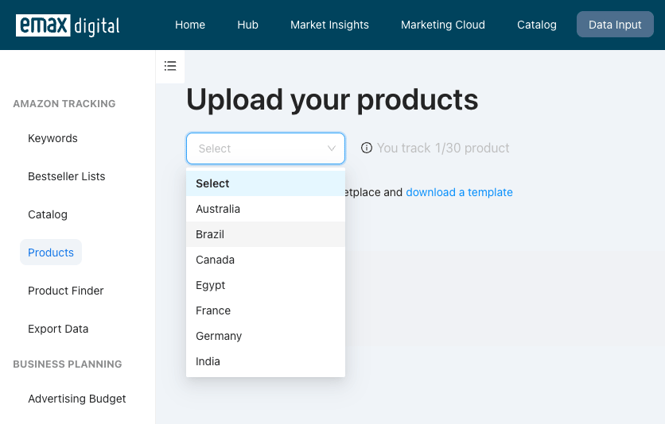
  1. Select a **marketplace

⚠️ External image — needs to be re-uploaded to Confluence

https://knowledge.emax-digital.com/hs-fs/hubfs/Screenshot%202022-06-30%20at%2008-46-43-png.png?width=665&name=Screenshot%202022-06-30%20at%2008-46-43-png.png

Source: https://knowledge.emax-digital.com/hs-fs/hubfs/Screenshot%202022-06-30%20at%2008-46-43-png.png

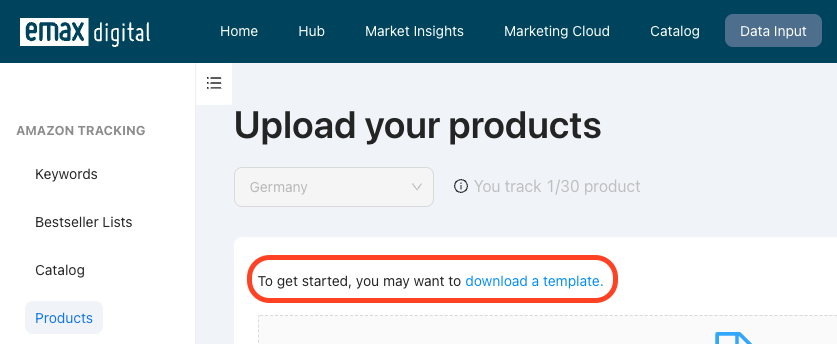
** 3. Download a template

⚠️ External image — needs to be re-uploaded to Confluence

https://knowledge.emax-digital.com/hubfs/Screenshot%202022-06-30%20at%2008-47-40-png.png

Source: https://knowledge.emax-digital.com/hubfs/Screenshot%202022-06-30%20at%2008-47-40-png.png

  1. Edit the file by entering Child ASIN Tags (to filter a group of products in your market insights report) Activate tracking (required to see results in reports)

⚠️ External image — needs to be re-uploaded to Confluence

https://knowledge.emax-digital.com/hubfs/Screenshot%202022-06-30%20at%2008-55-07-png.png

Source: https://knowledge.emax-digital.com/hubfs/Screenshot%202022-06-30%20at%2008-55-07-png.png

  1. Upload the edited file and create a group name
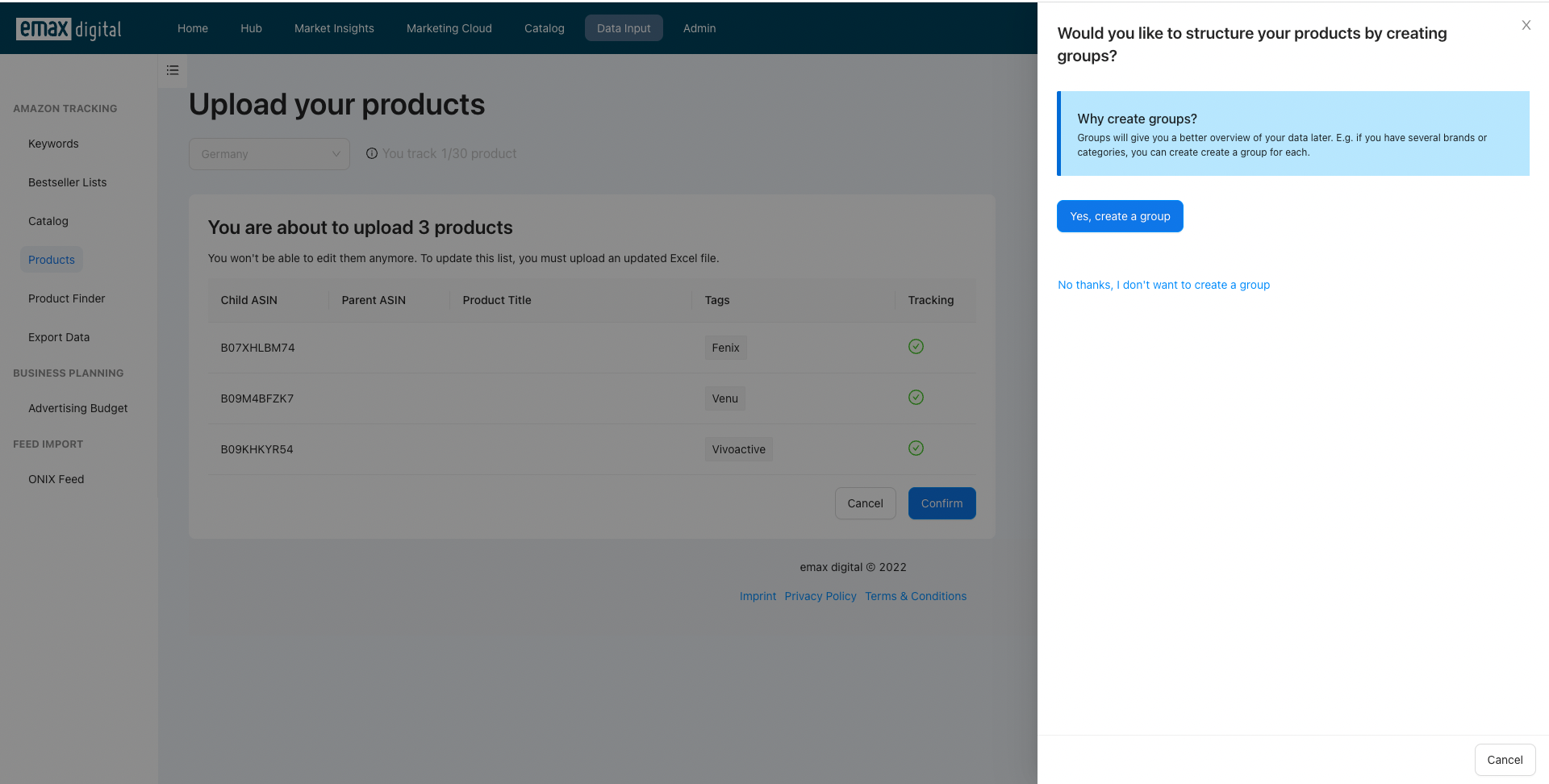
⚠️ External image — needs to be re-uploaded to Confluence

https://knowledge.emax-digital.com/hubfs/Screenshot%202022-06-30%20at%2008-59-39-png-1.png

Source: https://knowledge.emax-digital.com/hubfs/Screenshot%202022-06-30%20at%2008-59-39-png-1.png

Where do I see the results

You can see the results of the product detail pages based on your entered products in the Brand Overview report as part of the Market Insights.

Please Note: The results will be available in your reports within 24 hours of uploading.

You haven't booked the Market Insights?Get a free demo


🏷️ Tags: keywords-visibility · how-to · setup · catalog