
🧪 Emma is currently in beta
The AI Assistant is available to selected test users only. If you do not see the assistant icon in your navigation bar, your account has not yet been enabled. Please contact your emax digital account manager to request access.

The AI Chat Assistant, referred to throughout the platform as Emma, is a conversational AI built directly into the emax digital platform. This article explains what Emma is, what it can do, and how it is structured — giving you a solid foundation before exploring individual features in more detail.
What is Emma?
Emma is designed to help users working with Amazon data: analyzing performance tables, generating insights, surfacing recommendations, and answering business-related questions — all without leaving the platform.
What Emma can do?
Emma supports four main types of tasks:
-
Read and interpret on-screen data — Emma can read data directly from the Product Performance board currently visible on screen. It interprets the ASIN table, charts, and filters exactly as configured by the user — no copying or pasting required.
-
Generate structured responses — responses are formatted with tables, bullet points, headers, and visual indicators to make results easy to scan and act on.
-
Export results — responses can be downloaded as PDF or Excel files, or copied as Markdown.
-
Adapt to your context — Emma can be personalized through profile settings, company context, and reusable prompt shortcuts called Skills.
Panel structure
The assistant panel is divided into two main areas:
|
Area |
Description |
|---|---|
|
Left sidebar |
Conversation history, including a search bar and a list of all past chats |
|
Main chat area |
The active conversation thread, AI responses, and the message input field |
The sidebar can be toggled open or closed using the ☰ (Conversation History) icon in the top-left corner of the panel header. When collapsed, the full panel width is available for the conversation.
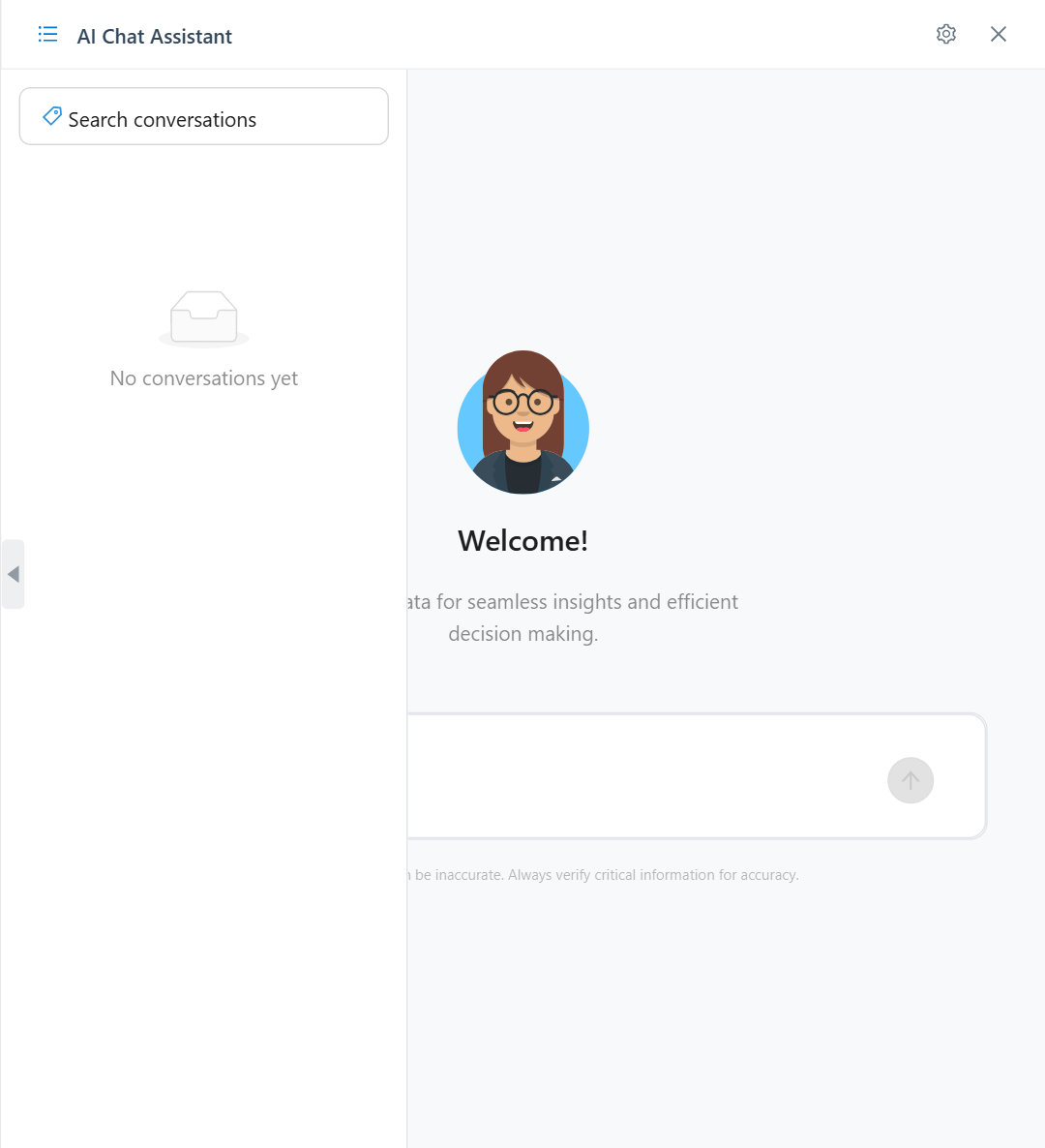
Header toolbar
The top of the panel contains all primary controls:
|
Icon |
Label |
Function |
|---|---|---|
|
☰ |
Conversation History |
Toggles the left sidebar on/off |
|
⊕ |
New Chat |
Starts a fresh, empty conversation |
|
↗ |
Share Conversation |
Opens the share dialog to invite colleagues (read-only access) |
|
🗑️ |
Delete Conversation |
Permanently deletes the current conversation |
|
⚙️ |
Settings |
Opens the Settings panel for profile, company context, and Skills |
|
✕ |
Close Assistant |
Closes the assistant panel |
Disclaimer
AI-generated content can be inaccurate. Always verify critical information for accuracy.
This disclaimer is permanently displayed at the bottom of every chat interface. Always verify data, insights, and recommendations provided by Emma before using them to inform business decisions.