
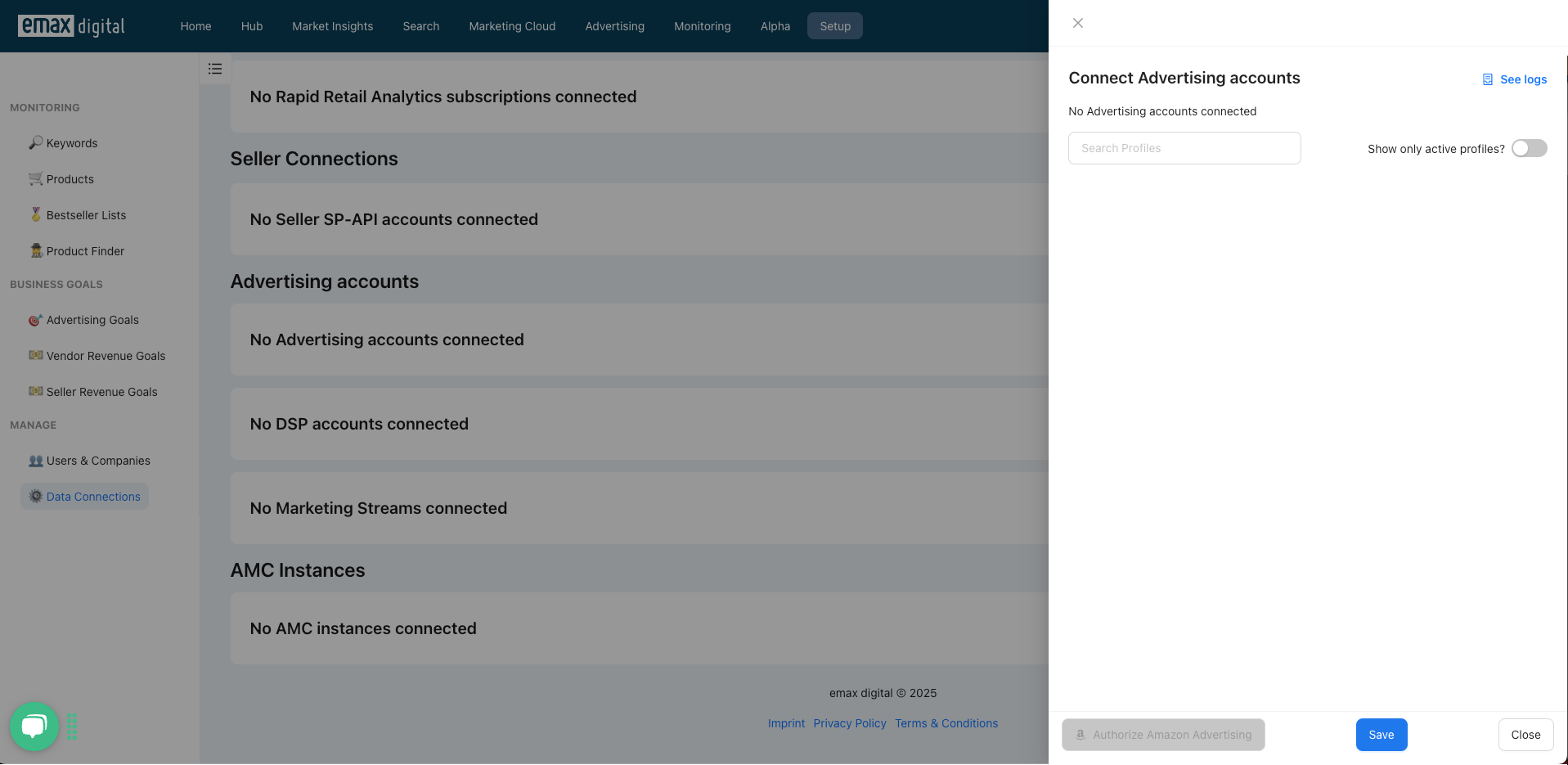
To allow the emax digital app to access your Amazon Ads data, you need to authorize access using Login with Amazon. Clicking the "Authorize Amazon Ads" button redirects you to an Amazon URL to complete this process. If the button appears grayed out, it indicates that your company’s network is blocking the required URL.
In this case, please contact your network administrator and request that the following URL be added to the whitelist:
URL: https://assets.loginwithamazon.com/sdk/na/login1.js
Once this URL is unblocked, you'll be able to proceed with the authorization.
🏷️ Tags: data-connections · troubleshooting · connections