
For us to process your Retail Analytics data, your reporting language needs to be set to English. Just follow the steps in the guide to update your settings.
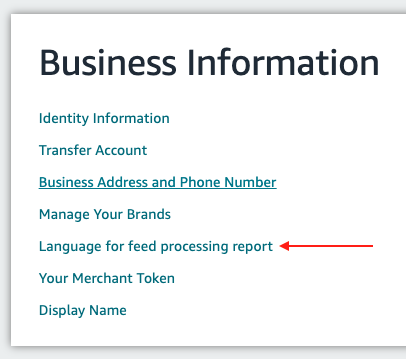
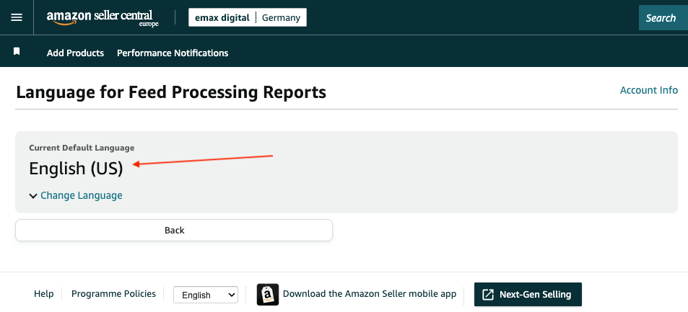
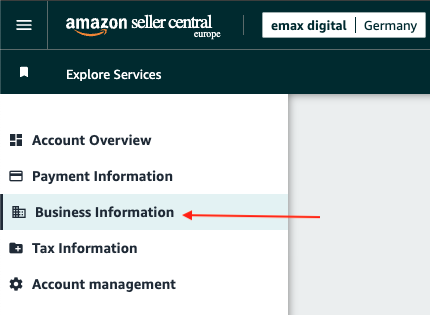
To process your Seller Central data, the 'Feed Processing Language' in your Amazon Seller Centrals must be set to English (US) in the settings.
You can find the setting here (see screenshots below for reference): https://sellercentral.amazon.de/sw/AccountInfo/FeedProcessingReport/step/Language
If it is not already set to English (US), please change it to English and save the changes.
No worries: This will not change the language of your Seller Central interface, only the language in the SP-API reporting, that is uSource: https://knowledge.emax-digital.com/hs-fs/hubfs/Screenshot%202025-02-04%20at%2017-24-19-png.png
🏷️ Tags: data-connections · seller · seller-central · sp-api · reference