
Migration note (Phase 1b): Content reproduced from the legacy page "How to monitor your A+ Content with our Analytics Hub". Grammar and structure tidied; not yet optimised or fact-checked. Images carried over from the legacy source — intern to verify they display correctly.
What is A+ Content and why is it important?
A+ Content allows brands to go beyond the standard product description by incorporating rich multimedia elements such as high-quality images, engaging videos, and additional descriptive text. This feature lets you create more immersive and informative listings, giving customers a deeper understanding and appreciation of your products.
In essence, A+ Content on Amazon is important because it empowers brands to differentiate their products, engage customers more effectively, drive sales, and ultimately contribute to an enhanced shopping experience.
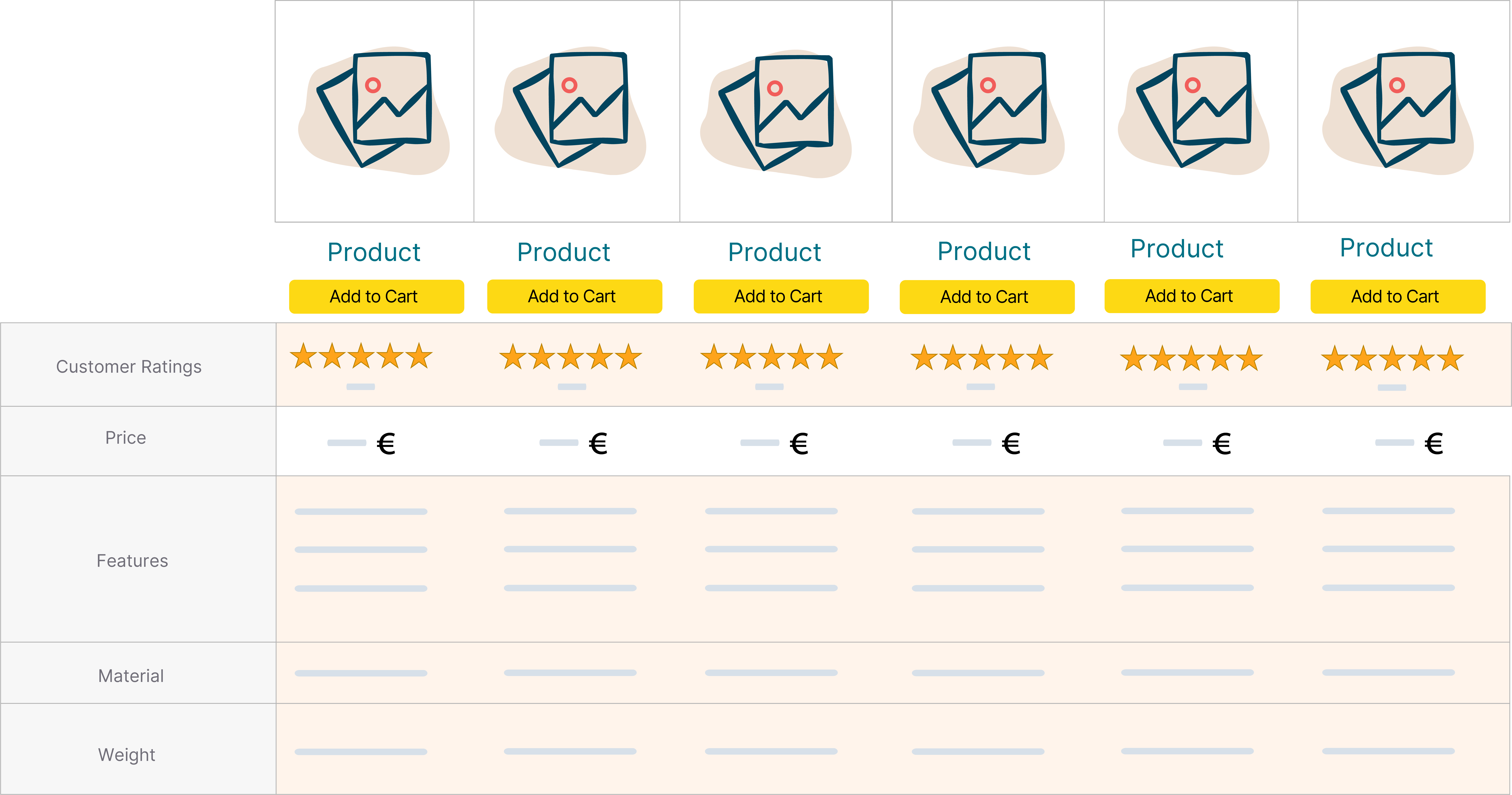
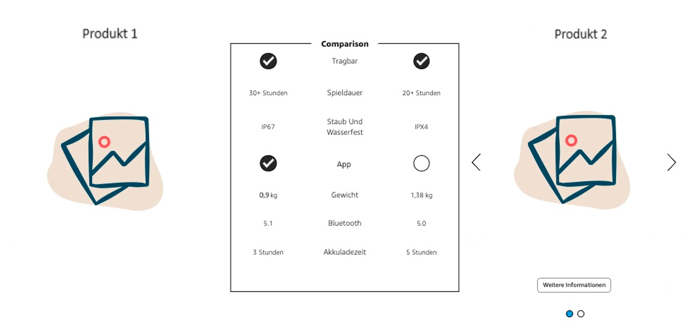
A great example of what you can do with A+ Content is a comparison table, shown below.
A+ Content comparison:
A+ Premium Content comparison:
The two types of A+ Content
-
Basic A+ Content:
-
Available to both sellers (with brand registry) and vendors.
-
Allows sellers and vendors to enhance their product detail pages with multimedia content such as images, videos, and additional descriptive text.
-
Provides a foundation for creating engaging and informative product listings.
-
-
A+ Premium:
-
Eligible for sellers with brand registry who meet specific criteria.
-
Sellers can access A+ Premium content for free if they have all their ASINs included in a Brand Story and at least 15 A+ Content pages available for a minimum of one year.
-
A+ Premium offers enhanced features and customisation options, allowing sellers to create more advanced and visually stunning content.
-
Vendors can also access A+ Premium, but it typically involves a fee.
-
What requirements do I have to meet to create A+ Content?
-
As a seller: Enrolment in Amazon's Brand Registry programme is mandatory. This programme helps sellers protect their registered trademarks and provides access to various brand-building tools, including A+ Content creation. Enrolling in Brand Registry involves registering your brand's trademark with Amazon. Once enrolled, you gain access to additional features and benefits, including the ability to create A+ Content to enhance your product detail pages.
-
As a vendor: For vendors, the requirements for creating A+ Content are typically aligned with those for sellers. However, as a vendor, you're often considered the brand owner by default, which simplifies the process. While Brand Registry enrolment is generally recommended for vendors, there have been instances where A+ Content creation has been possible without it. This may vary based on individual circumstances and Amazon's policies.
Steps to create A+ Content on Amazon
-
Align on ASINs or categories: Begin by identifying the ASINs or product categories you want to prioritise for A+ Content creation. This helps you focus your efforts and resources efficiently.
-
Conduct competitor analysis: Perform a short analysis of A+ Content created by direct competitors or other sellers in your niche. This allows you to gather insights into effective strategies, content formats, and design elements that resonate with your target audience.
-
Create mock-ups: Use tools like Miro or visual content creation software to design mock-ups of your A+ Content layouts. Incorporate elements such as high-quality images, compelling copy, and engaging multimedia to bring your vision to life. Sharing these mock-ups with your team allows for feedback and revisions before proceeding with live content creation.
-
Iterate and expand: Use the insights gained from competitor analysis and feedback from mock-ups to iteratively refine and improve your content strategy. Expand your A+ Content portfolio gradually, incorporating learnings from each iteration to optimise performance and drive results.
Monitoring A+ Content in emax digital
Content Dashboard
Open the emax digital tool and go to "Hub". Then select "Performance" and navigate to "Content". On this dashboard you can find the Content Score and its composition for each of your ASINs. The Content Score indicates how well, on average, the content is set up on your brand's detail pages. The higher the Content Score, the better. The maximum score is 100%, meaning all ASINs fulfil the requirements for good content on the detail pages.
Content Monitor
Open the emax digital tool and go to "Monitoring". Then select "Content Monitor". Here you can set custom columns and apply filters such as Status, Source, Tags, and Categories. The Content Monitor searches automatically and creates a chart.
With the Content Monitor you can see which ASINs are missing images, descriptions, A+ Content, etc. with just a few clicks. This saves you a lot of time when checking which ASINs are affected by a lack of content.