Track the development of bestseller categories to better understand the overall market positioning of your own brand compared to your competition. The results appear in the Bestseller Dashboard in Market Insights.
Please note: Results will be available in your reports within 24 hours of uploading.
How to Set Up Bestseller List Tracking
-
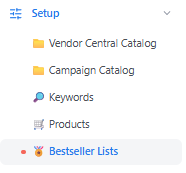
Navigate to Data Input in the first navigation bar and click Bestseller Lists on the left.
-
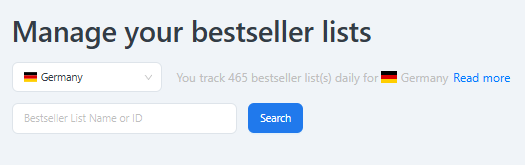
Add a group and select a marketplace.
-
Add a single bestseller list.
-
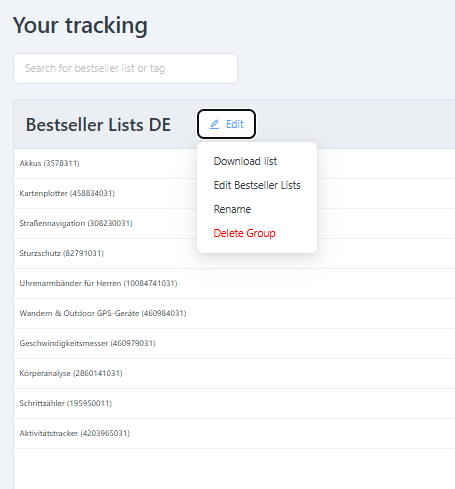
Add tags to filter a group of bestseller lists in your Market Insights reports.
-
Activate or deactivate tracking (activation is required to see results in reports).
Where Do I See the Results?
You can see the results of your bestseller lists in the Bestseller report as part of Market Insights.
Where Do I See How Many Bestseller Lists I Track?
You can view your tracking limit and the number of bestseller lists (as well as keywords and products) you already track on the Data Connections page and on the Data Input page.
Migration note (Phase 1b): Migrated from the bestseller-lists section of the legacy Reference & FAQ page "Data Input Walkthrough" (split across the Setup pages), and extended in Root 9 with the step detail from legacy "How do I initially set up tracking for bestseller lists�" (1665761449) plus the tracked-count information from "Where do I see the number of my tracked keywords, bestseller lists and products?" (1666875547). Content reproduced with grammar and formatting tidied; not yet optimised or fact-checked. Five setup screenshots from 1665761449 are logged in a footer comment for manual re-upload. Flagged for the later optimisation phase.