
App path → https://app.emax-digital.com/help-pages/bug-report
A clear bug report helps us reproduce and resolve your issue as quickly as possible. This page explains what a bug report is and what information to include.
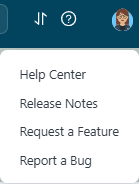
What is a bug report?
A bug report is a detailed description of an issue or unexpected behavior in the software. It goes beyond fixing technical errors — it also helps us assess whether the user experience matches expectations. We work behind the scenes to navigate the challenges Amazon poses, but there may be cases where we miss something, and your report helps us catch it.
A good bug report helps us to:
-
Identify technical issues — glitches, errors, or malfunctions that hinder intended functionality.
-
Ensure the observed behavior matches the intended user experience.
-
Verify the software operates within the specified parameters.
-
Gather feedback on how you interact with the software.
-
Priorities fixes and improvements based on severity and impact.
-
Improve communication between users and the development team.
How to write a bug report
To address your issue effectively, we need to reproduce it. Think of it like a doctor's appointment: every detail, whether it seems relevant or not, helps us find the right solution. 🔍
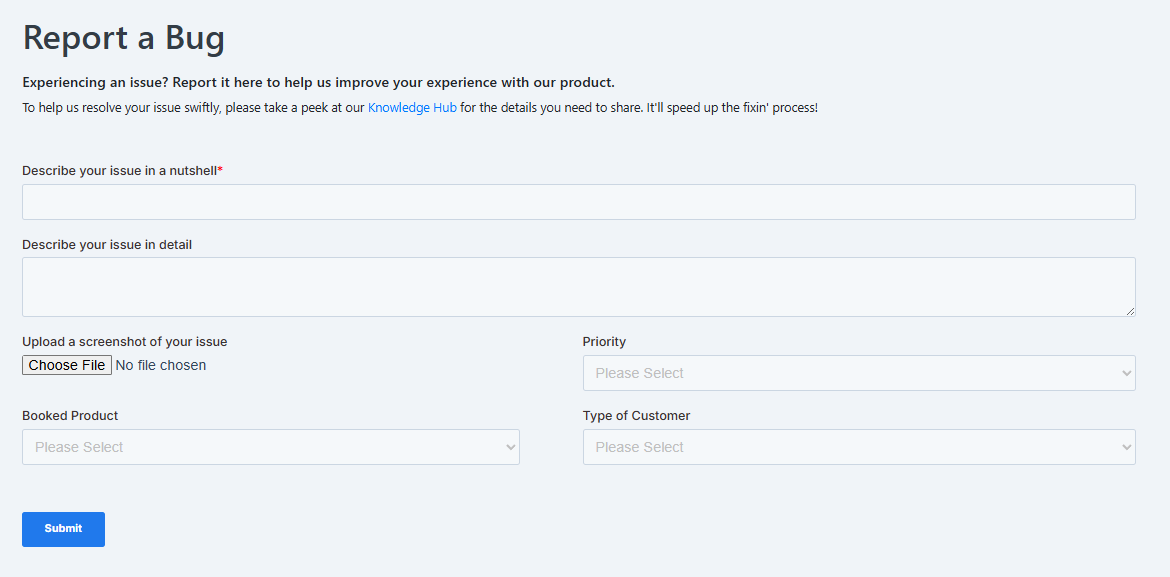
Data bugs (wrong or missing data)
Because we rely on data provided by Amazon, minor discrepancies are expected and unavoidable. If something seems significantly amiss, report it and we'll investigate. Before submitting, make sure your data connection is active and correctly set up, and check whether your issue aligns with Amazon's reporting limitations (see the Reference and Data section on report granularities).
When reporting a data bug, include:
-
Company account name.
-
The affected emax digital report.
-
The filter settings active when the issue occurred — reporting range, reporting period, affected metric, and distributor view (if applicable). Naming each selected filter helps make sure nothing slips through the cracks.
-
The value as it appears in the emax digital report ("as is").
-
The expected value from Vendor Central / Seller Central / the Sponsored Ads console ("to be").
-
A screenshot — sometimes a picture says more than a thousand words. 🖼️