
This article teaches you how to find your Products with bad reviews
If you want to boost your sales, good reviews are essential. To find your products with bad reviews in order to optimize them later on, you can use our Review Monitor.
How can I monitor my Reviews?
You can find the Review Monitor in the Monitoring Section:
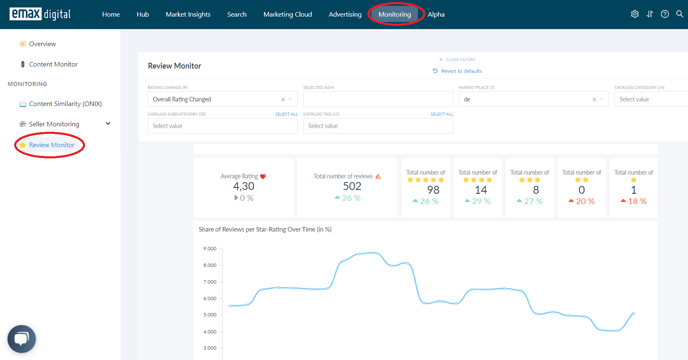
In the Rating & Reviews Summary, you can see your Average Rating, your Total Number of Reviews and your Total Number of 1-5 Star Ratings. Plus, you can see how the Numbers have changed over time.
You can also analyze thes KPI's on an ASIN Level in the chart below.
How do I find bad Reviews?
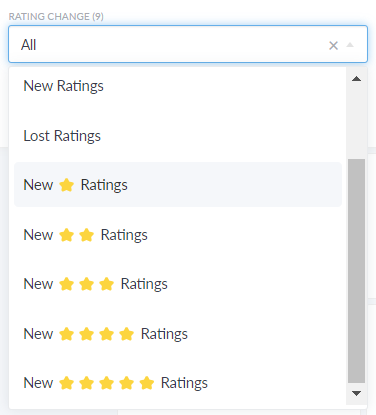
To find your ASINs with bad reviews, you can either filter by Rating Change:
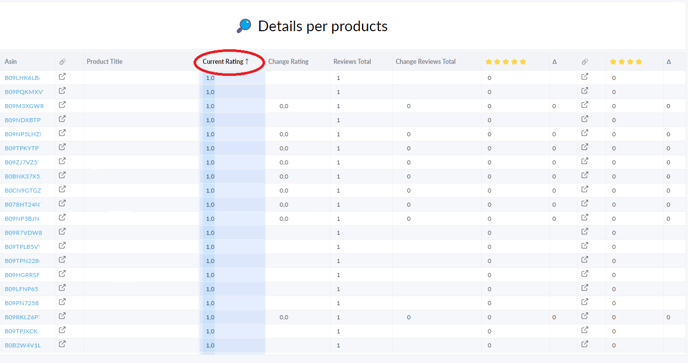
Or simply sort the table by your preferred attributes:
🏷️ Tags: monitoring · how-to · reviews